
































How to Design a Collage: A Simple 3 Step Guide

By Black's
4 November 2025
How to Design a Collage: Create a stunning visual story using Black's photo collage options. Explore our collage templates & master the photo montage technique for a perfect print. Start creating today!
A photo collage is more than just a collection of pictures; it's a powerful narrative tool, a visual tapestry that weaves together memories, dreams, and artistic expression. For centuries, artists have used the artistic process of assemblage to create meaning, and today, with the digital innovation offered by Black's, you can compile your favorite images into one exquisite collage. Whether you're commemorating special events, celebrating a new home, or simply organizing a visual collection of your favorite moments, mastering the art of the photo montage is within your reach.
This guide is designed to walk you through every step of creating a breathtaking photo collage, from concept to the final, professional print. We’ll explore various photo collage styles, discuss the essential collage tools, and show you how to leverage Black's powerful photo collage maker to turn your personal media library into a captivating piece of art.
What is a Photo Collage?
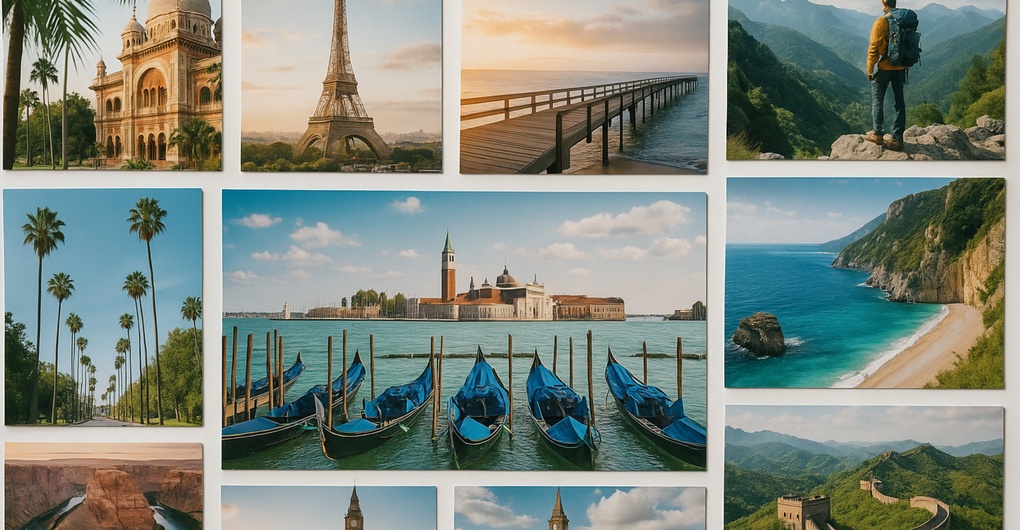
A photo collage is a powerful visual assembly, combining multiple photos into a single, cohesive piece of art. Using a photo collage maker and various collage templates, you can transform your personal image library into a unique photo montage that narrates a story or theme, ready for print or social media.
Why Choose a Photo Collage?
- Celebrate Milestones and Memories: A photo collage beautifully compiles images from special events like weddings or graduations, creating a single, comprehensive keepsake. It transforms a scattered visual collection of photos into a dedicated celebration of life's best moments.
- Create Unique Home Decor: Instead of multiple small prints, a single framed photo collage print offers a stylish and modern focal point for any room. The large format ensures your favorite images become striking art.
- Personalize Your Storytelling: It allows for a layered and rich narrative that individual pictures cannot achieve. The arrangement and design, using different photo collage styles, reflect your personal artistic process and unique perspective, making the final piece deeply meaningful.
How to Design a Collage: A Simple Step-by-Step Guide
Step 1: Conceptualizing Your Collage — The Art of the Story
Before diving into the digital editor, the most crucial step is planning your project. A great photo collage is a coherent visual story.
Defining Your Theme and Purpose
Every compelling collage has a focal point. What is the central idea? Is it a vision board for the year ahead? A memory lane for a specific holiday? Or perhaps a set of Social Media Collages to share online?
- Memory Collection: Focusing on a trip, a milestone birthday, or a wedding. These often benefit from a chronological or thematic flow.
- Aesthetic Exploration: Playing with color, texture, and mood. Here, you might experiment with photo filter effects to unify disparate images.
- Inspiration Board: Much like an art journal, this type of collage can incorporate typographic art, inspirational quotes, and various graphic elements.
2. Gathering Your Visual Assets: The Image Library
Your image library is the foundation of your photo collage. Look beyond just your recent phone camera roll. Black's allows you to use your own photos in various photo formats.
- Digital Photos: Organize your desired photos into a dedicated folder. Consider the quality and resolution. A successful large print depends on high-resolution images.
- Scanned Materials: Don't forget physical mementos. Old photographs, ticket stubs, or bits of watercolor paper can be scanned and integrated as multimedia elements.
The Top 10 Best Online Photo Printing Services in Canada
Step 2: Designing Your Digital Masterpiece with Black's
Black's makes the process of creating a professional stunning photo collage straightforward and intuitive. Their platform offers the perfect blend of easy-to-use collage tools and sophisticated customization.
Choosing Your Template and Layout
The first interaction with the Photo Collage Maker involves selecting a framework. Black's provides a variety of excellent collage templates and photo collage templates designed by experts.
- Grid Layout: The simplest and most classic structure, the Grid layout offers a clean, organized look. It's perfect for a minimalist collage where the images speak for themselves. This style is often favored for its clarity, making it an excellent choice for a professional look on glossy papers.
- Asymmetrical/Freeform Templates: These allow for more artistic license, with varying picture sizes and overlaps. They capture the spirit of a traditional, hand-assembled art journal but with digital precision.
- Ready-Made Themes: Specific collage template designs are tailored for occasions like 'Baby,' 'Travel,' or 'Holidays.'
Mastering the Collage Composer and Editing Tools
Once your template is chosen, the real design work begins in the Black's collage composer. This is where you manipulate your photos and fine-tune the aesthetics.
- Placement and Focus: Drag your photos into the designated spots. Use the built-in photo editing tools to crop or rotate images so the focal point is perfectly positioned within the frame. Good engineering design in the software ensures every adjustment is precise.
- Aesthetic Refinement (Color and Effects): Experiment with the available photo filter effects to harmonize your collection. Adjust the color levels to correct exposure or give the entire collage a vintage or monochrome feel. Consistency in color treatment is key to a cohesive photo collage.
- Background Color and Border Spacing: Don't underestimate the power of negative space. A smart background color can make your images pop. Furthermore, adjusting the border spacing between photos creates a clean, intentional look. Minimal spacing is sleek, while generous spacing gives each photo room to breathe.
Step 3: Finalizing Your Design and Print Selection
With your collage perfected in the editor, the final steps involve utilizing Black's product features to select the perfect physical representation of your design.
Choosing the Right Medium
Black's offers premium printing options to ensure your photo montage lasts a lifetime.
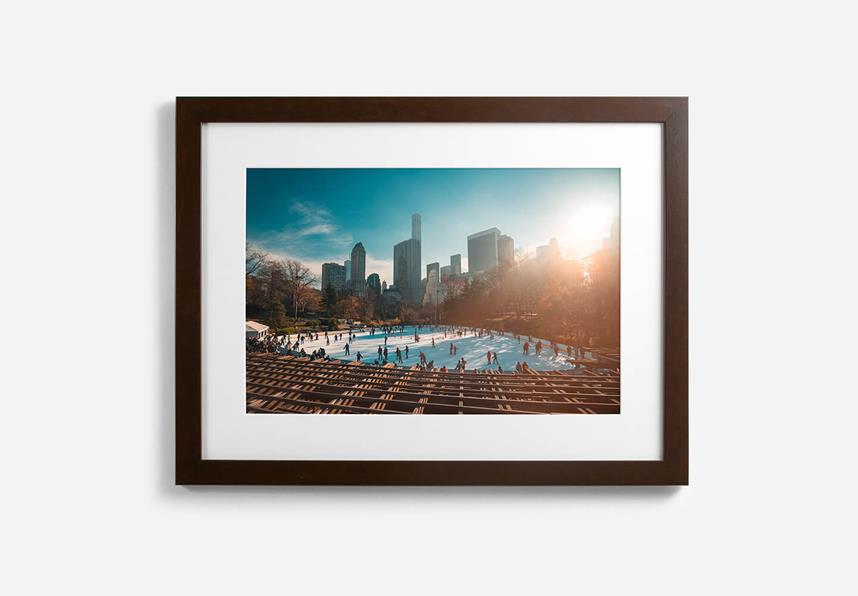
- Framed Print: A classic choice that offers immediate wall-ready presentation. Perfect for a timeless gift or a centerpiece in your living room.
- Big Photo Wrap: A contemporary, gallery-style finish where the image extends around the edges of a sturdy wooden frame. This is a popular option for large-scale, impactful pieces.
- Glossy Papers: Selecting the right paper finish, such as glossy papers, can enhance the vibrancy and depth of your photos, making colors richer and blacks deeper.
The Final Review
Before placing your order, use the platform's preview features to review every detail. Zoom in to check the clarity of all your photos, ensure the border spacing is correct, and verify that the overall design tells the story you intended. You’ve moved from a simple media library to a finished work of art.
Start designing your collage today
Trust Black's for All Your Photo Printing Needs
We at Black's understand the importance of preserving your most cherished moments. Our innovative photo collage maker empowers you to transform your scattered media library into a stunning, professional photo collage. With intuitive features, diverse photo collage templates, and premium printing options, we make the design process effortless. Compile your favorite images into a single, cohesive piece of art and let us bring your unique visual story to life with exceptional quality.
Black's: Your Partner for Photo Collages & Premium Prints
At Black's, we help you tell powerful visual stories. From photo collage makers to professional prints, create memorable, museum-worthy displays from your favorite moments.
Explore collage prints, framed wall art, and premium photo prints. Expect vibrant colours, archival quality, and exceptional clarity.